# 如何注册

## 注册与登录

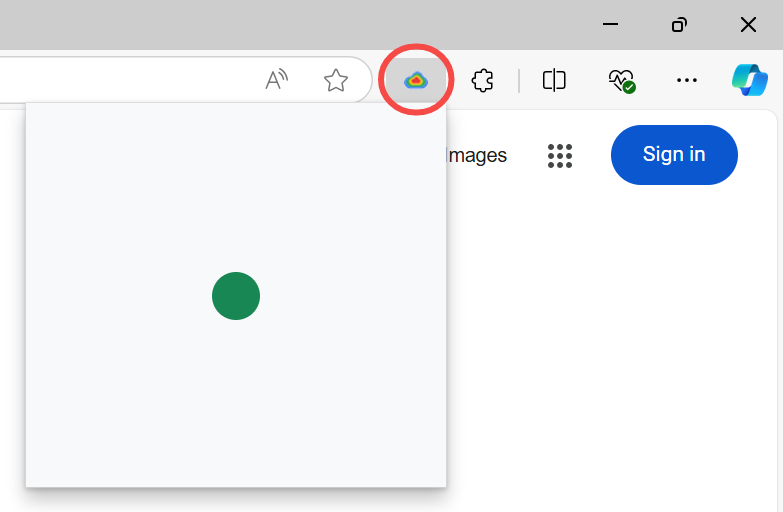
1. 点击浏览器上无忧行的小图标，会弹出一个加载中的小窗口：

<figure><img src="https://1663121531-files.gitbook.io/~/files/v0/b/gitbook-x-prod.appspot.com/o/spaces%2FtaiByLw8cj0IZKJTlaiM%2Fuploads%2FSeKwJLjUwSpnUyyRMQW9%2Fimage.png?alt=media&#x26;token=64cf8ef3-954e-45c7-af1c-9d9f01f15187" alt="" width="375"><figcaption></figcaption></figure>

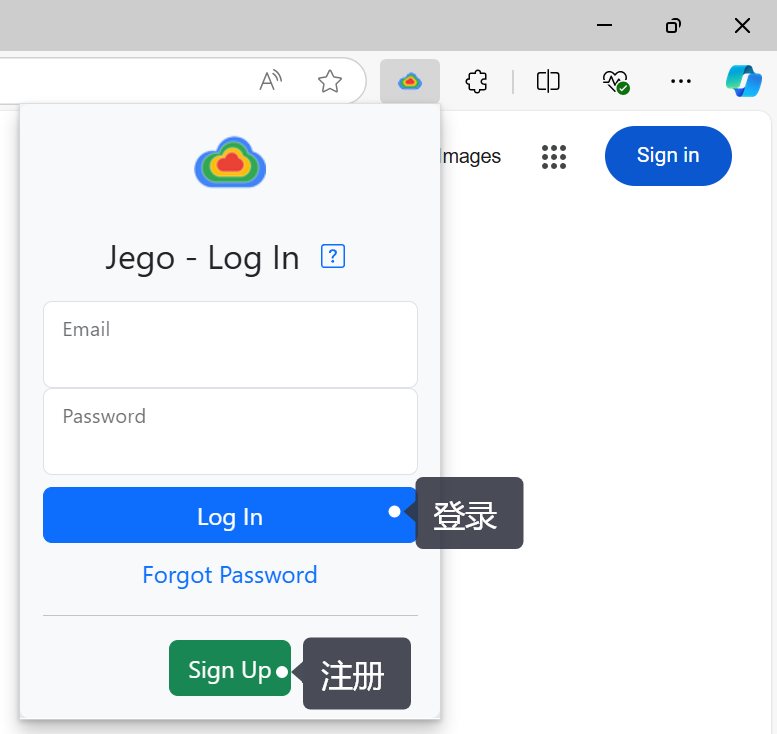
2. 加载完毕后，会出现下图的登录以及注册界面：

<figure><img src="https://1663121531-files.gitbook.io/~/files/v0/b/gitbook-x-prod.appspot.com/o/spaces%2FtaiByLw8cj0IZKJTlaiM%2Fuploads%2FJ2SGmSKcCLqchDO7B2tJ%2Fimage.png?alt=media&#x26;token=29fc8979-ab92-4ba3-8963-c461c059d507" alt="" width="375"><figcaption></figcaption></figure>

* **已注册的**用户可以直接输入邮箱、密码点击<mark style="background-color:blue;">蓝色的登录</mark>按钮后即可享受无忧行的服务；
* **未注册的**用户点击下方<mark style="background-color:green;">绿色的注册</mark>按钮，根据提示即可轻松完成无忧行的账户注册。

## 忘记密码

**1、登出状态忘记密码：**

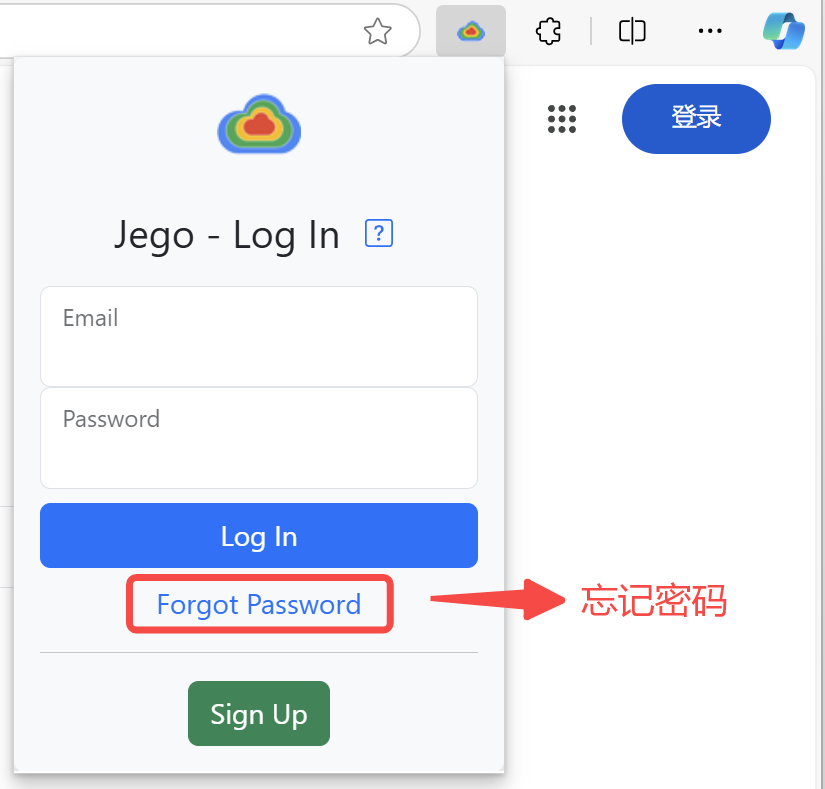
点开无忧行弹窗界面，点击`Forgot Password`（上图红色框），按照页面里提示输入注册无忧行的邮箱地址，然后去邮箱里按照邮件提示操作即可重置密码。

<figure><img src="https://1663121531-files.gitbook.io/~/files/v0/b/gitbook-x-prod.appspot.com/o/spaces%2FtaiByLw8cj0IZKJTlaiM%2Fuploads%2Fd04dLNy19fPTjbOp7X1P%2Fimage.png?alt=media&#x26;token=4cdae222-6717-4250-adde-666ee8957895" alt="" width="375"><figcaption></figcaption></figure>

**2、登录状态忘记密码：**

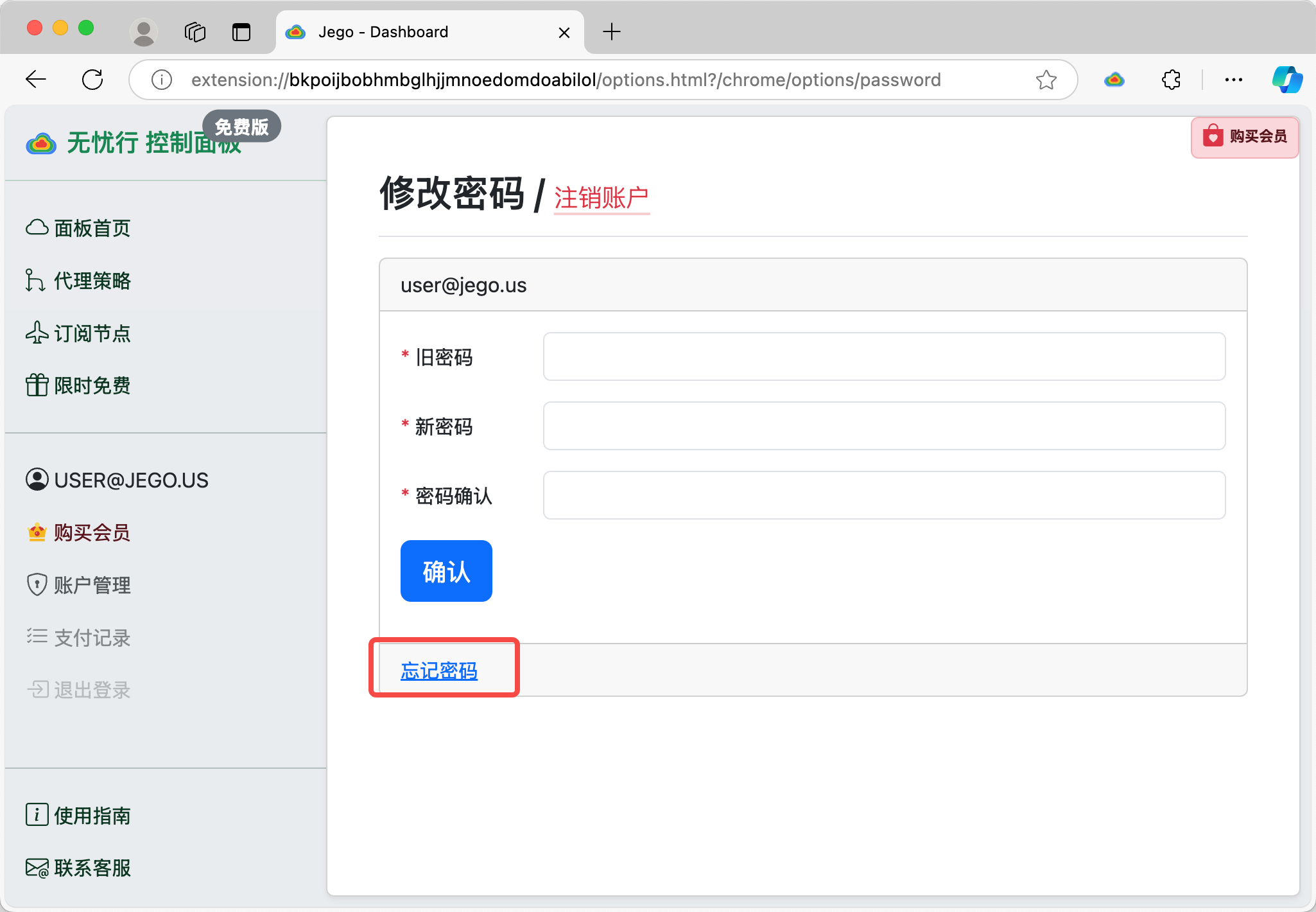
进入无忧行 `控制面板 - 账户管理` 页面，在修改密码页面最下方能找到`忘记密码`的入口（如下图所示），点击后输入无忧行账户的邮箱地址，然后去邮箱里按照邮件提示操作即可重置密码。

<figure><img src="https://1663121531-files.gitbook.io/~/files/v0/b/gitbook-x-prod.appspot.com/o/spaces%2FtaiByLw8cj0IZKJTlaiM%2Fuploads%2FCQjuNkLSD7Mvv0akPPzT%2Fimage.png?alt=media&#x26;token=1896cc1b-9b4a-464d-a390-520580a67bc6" alt=""><figcaption></figcaption></figure>


---

# Agent Instructions: Querying This Documentation

If you need additional information that is not directly available in this page, you can query the documentation dynamically by asking a question.

Perform an HTTP GET request on the current page URL with the `ask` query parameter:

```
GET https://ar.jego.pro/wu-you-xing-shi-yong-zhi-nan/shi-yong-jiao-cheng/ru-he-zhu-ce.md?ask=<question>
```

The question should be specific, self-contained, and written in natural language.
The response will contain a direct answer to the question and relevant excerpts and sources from the documentation.

Use this mechanism when the answer is not explicitly present in the current page, you need clarification or additional context, or you want to retrieve related documentation sections.